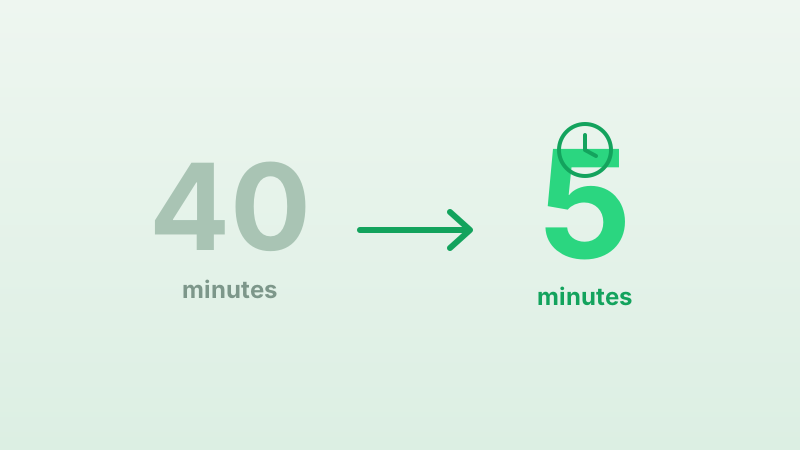
From 40 minutes to 5: How a coaching business set up their AI stack
Elevate Coaching is a 12-person business coaching firm based in London. They run workshops, one-on-one coaching packages, and an online membership programme. Like many growing service businesses, they started using AI tools piecemeal, a chatbot on their website, an AI email assistant for follow-ups, and a GPT-based tool for generating workshop materials.
The problem wasn't the AI tools. They worked well individually. The problem was setting them up.
The before: 40 minutes per tool
Every time Elevate onboarded a new AI tool or updated an existing one, the process looked the same:
- Open the Google Doc with their service descriptions (last updated: unclear).
- Copy each service description into the tool's training interface.
- Open the FAQ spreadsheet and copy the relevant Q&As.
- Check the pricing page, has it changed since the spreadsheet was last updated?
- Copy the brand voice guidelines from a PDF.
- Manually enter the booking link for each service.
- Test it, find three errors, fix them, re-test.
"Every time we added a tool, someone on the team lost half a morning to copy-pasting. And we were never confident the information was current."
Rachel M., Operations Lead
The total setup time averaged 40 minutes per tool. And because the source documents drifted out of sync, each tool ended up with slightly different information, different prices, outdated availability, inconsistent messaging.
The after: 5 minutes with Khub
Elevate moved all of their business knowledge into a single Khub knowledge base. They spent about 3 hours on the initial setup, entering their 6 coaching packages, 22 FAQs, brand voice guidelines, booking rules, and 4 key policies.
After that, onboarding a new AI tool takes 5 minutes:
- Generate a public KB token (30 seconds).
- Drop the token into the tool's configuration (1 minute).
- Point the tool at Khub's search API (2 minutes).
- Test a query and verify the response (1 to 2 minutes).
No copy-pasting. No checking whether the Google Doc is up to date. No manual entry. The tool queries Khub and gets the current, canonical version of every piece of knowledge.
The impact
- Setup time per tool: 40 minutes to 5 minutes (87% reduction).
- Knowledge update propagation: hours (manual) to instant (automatic).
- Inconsistency incidents per month: 8 to 12, down to 0.
- Team hours saved per month on AI management: about 6 hours.
"The thing nobody tells you about AI tools is that the setup and maintenance is where all the time goes. Khub eliminated that entirely. We add a new tool, point it at Khub, and it just works."
Rachel M., Operations Lead
What they'd recommend
- Start with FAQs. They're the fastest content to enter and have the highest impact on AI response quality.
- Don't wait for perfection. Enter 10 to 15 items and connect your first tool. You can add more later.
- Use tags consistently. Elevate tags every item with the relevant service name, which makes filtering and search more precise.
- Review monthly. They spend 30 minutes at the start of each month reviewing their KB for stale content.
Elevate uses Khub Free, which includes up to 20 knowledge items. They upgraded to Pro after two months when they needed version history and more API capacity.